How to Turn Every Etsy Digital Download Into Your Next Sale

Most digital product sellers stop at delivery. Here’s how I use the download page for cross-sells, email sign-ups and personalisation, plus 5 products I’d list before Christmas.
Try Anywhere Digital
Want to simplify how you create, list and deliver digital products on Etsy? Anywhere Digital brings key steps into one workflow, with features for mockups, personalised downloads and cross-selling.
Making a digital product is the fun part. Everything after it is where the time goes: mockups, the listing, setting up delivery, and then trying to get that same buyer to come back.
Most sellers treat the moment a customer downloads their file as the end of the sale. I think it’s the most underused moment in a digital product business. The buyer has just paid you, they’re happy, and they’re looking right at your brand. Etsy doesn’t help you do much with that moment, so it usually goes to waste.
The video above is a full walkthrough of the tool I tested to fix that. This post is the strategy behind it, so you can apply it whatever tool you use.
Why the download page matters more than the sale
On Etsy, Etsy owns the customer relationship, not you. That’s fine for a one-off sale, but most digital product buyers aren’t one-off buyers.
Think about who buys a baby shower invitation (one of my most profitable niches in the event space). That person is planning a first birthday in about a year. Then a second, then a third. If the only thing they leave with is a file, you’ve got no way to be there for any of those.
The number to watch isn’t what someone spends once. It’s what they spend with you over time, which is customer lifetime value. Two things move it:
- A cross-sell gets you the second sale today.
- An email list gets you the next sale, and the one after that.
I’ve written before about bringing past customers back being the lever most sellers ignore. The download page is where you actually pull it.
The four things I’d put on every download page
1. Branding that builds trust
Your delivery PDF or download page is a chance to look like a real shop, not a file dump. Use your shop name, your colours and, if you have them, your review count. Showing reviews on the download page reassures buyers that they’ve bought from someone credible, which makes them more open to buying again.
Add a short thank-you, clear download instructions and, if you run them, a promo code for their next order.
2. A cross-sell that fits what they just bought
The best cross-sell is the obvious next thing the buyer needs. A few pairings that work:
- Party invitation → matching banner, napkins, cups or signage
- Budget tracker → meal planner
- SVG bundle → matching clip art
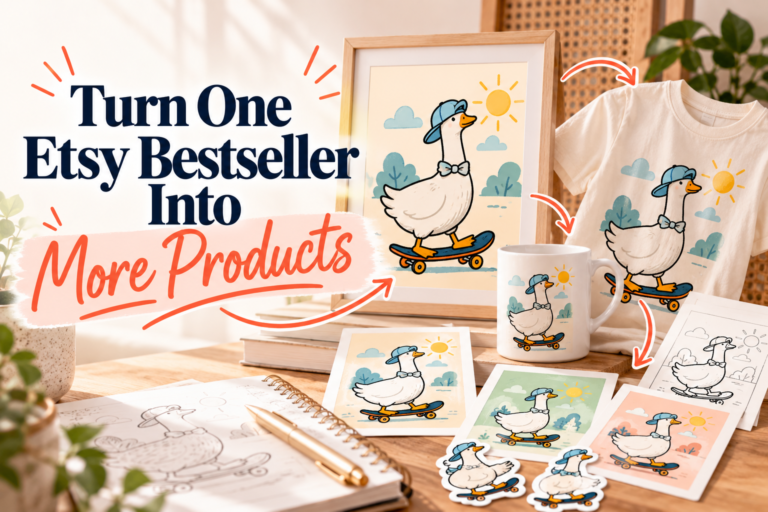
- Any printable → a printed version for buyers who’d rather not print it themselves
That last one is worth thinking about if you also do print on demand. Some buyers love a digital product but don’t want to deal with printing. Offering it printed and shipped turns a $5 sale into a bigger one.
3. An email sign-up
This is the one I care about most. A sign-up form on the download page reaches someone who has just bought from you, which is the warmest audience you’ll ever get. Pair it with a reason to join, like early access to new designs or seasonal launches.
Remember you can’t add Etsy buyers to your list without them opting in. That’s exactly why the download page works: they sign up themselves. I go through more ways to grow your list in how I get free traffic to Etsy.
4. Personalisation the buyer does themselves
Personalised products sell well, but they usually mean back-and-forth messages, edits and delays. If the buyer can enter their own details (names, dates, addresses, even a photo) and download a finished file, you remove that whole support loop. If they make a mistake or want to reuse it for another event, they fix it themselves without messaging you.
One listing tip while you’re at it: mockups
For anything event-based, don’t upload five near-identical mockups. They don’t answer the buyer’s questions. I’d use three:
- Straight on, so they can read the design
- Styled, so it looks premium
- In use, on a table or at the event, so they can picture it at their party
How I set this up with Anywhere Digital
Anywhere Digital is the new digital products side of AnywherePOD, which I already use for print on demand, so it slotted into my workflow easily. I won’t repeat the click-by-click here (the video shows it), but this is what it covers:
- Connects to Etsy and Canva. Canva is optional. You can upload your own files if you design somewhere else.
- Branded delivery. It pulls your shop’s branding into the delivery PDF and download page, with your thank-you message, instructions, promo codes and an email sign-up form (it works with EverBee Email, Kit, Mailchimp and similar).
- Mockups you set up once. Import mockups from Canva or as image files, save them as a collection, and reuse them on future listings.
- AI listing builder. In my test, one prompt with a Canva link turned three invitation designs into three listings, with personalised fields, price, category, mockups and cross-sells set, then pushed them to Etsy as drafts. It took under two minutes.
- Three delivery types: a standard file, a personalised file the buyer edits, or a link (useful for Canva templates or large files hosted elsewhere). There’s also a preview so shoppers can try personalising before they buy.
- Cross-sells on the download page for other digital or POD products, placed above or below the download.
A tip for better SEO: you can upload a CSV of keyword research (from EverBee, eRank or similar) to guide the AI’s titles and tags. Even so, check what it writes. In my test, it pulled an old file name through from Canva onto the download page, which I’d have needed to fix before going live. AI does most of the work; your eye still does the rest. More on that in how I write Etsy titles and tags.
Is it worth it?
For me, yes. It’s the best cross-sell setup I’ve seen for digital products, and it’s the first tool I’ve used that puts delivery, cross-sells and email capture in one place.
It makes the most sense if you sell products buyers personalise, or products with natural add-ons: invitations, party sets, planners, templates, worksheets and similar. If you sell simple single files with no obvious next product, you’ll get less out of the cross-sell side.
At launch it’s $29.99 a month, and that price stays locked for as long as you’re a member, or $299 for the year. The launch offer runs until the end of October 2026, and there’s a 30-day money-back guarantee. Try Anywhere Digital here.
5 digital products I’d sell before Christmas
All five have three things in common: they’re personalised, they have easy cross-sells, and there’s a printed version for buyers who don’t want to print at home.
- Digital Christmas cards. Buyers add their own names, message and family photo. Cross-sell gift tags, plus a printed version for anyone who still wants cards to post.
- Custom pet portraits. There are lots of bestsellers here right now, because buyers can upload their own pet photo and turn it into a gift. Cross-sell physical versions: prints, blankets, mugs, journals, mouse pads.
- Personalised letters from Santa. Parents add their child’s name and a few details. Pair it with a matching nice list certificate.
- Christmas party invitations. Work, family or kids’ parties. One invitation can lead to everything else for the day: napkins, cups, tablecloths, a banner.
- Personalised gift tags. Huge at Christmas but low margin on their own, which is exactly why the cross-sell matters. Pair them with your Christmas cards and get those buyers on your email list for next year.
Christmas buyers start early, so list these as soon as you can.
What I’d do this week
- Pick your best-selling digital product and write down the one thing that buyer needs next.
- Add that as a cross-sell wherever your buyer lands after purchase.
- Add an email sign-up with a reason to join.
- If it’s a personalised product, find a way for the buyer to personalise it themselves.
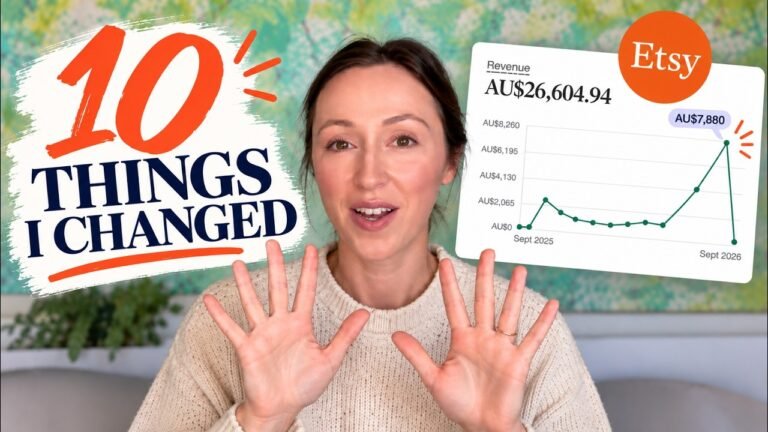
Repeat customers were part of the 10 changes that took my shop from $1.5K to $7,880 a month. If you’re just starting out, read the mistakes from my first year first. And there are more free Etsy resources here.
FAQs
How do I get repeat customers for Etsy digital products?
Use the moment after purchase. Put a relevant cross-sell and an email sign-up where the buyer downloads their file, so you get a second sale now and can reach them for future ones.
Can I add Etsy buyers to my email list?
Not automatically. Buyers need to opt in, which is why a sign-up form on your download page, with a reason to join, works well.
How do personalised digital products work on Etsy?
The buyer enters their details, such as names, dates or a photo, and gets a finished file. With a tool that lets them edit it themselves, you avoid back-and-forth messages and they can fix mistakes on their own.
What digital products sell well at Christmas on Etsy?
Personalised products with natural add-ons: digital Christmas cards, pet portraits, letters from Santa, Christmas party invitations and gift tags.
What is Anywhere Digital?
It’s the digital products tool from AnywherePOD. It connects to Etsy and Canva and handles AI listings, mockups, branded delivery, buyer personalisation, cross-sells and email capture in one place.